Memento

overview
In a nutshell
Informal carers are the backbone of many health care systems in the world, yet they are routinely undervalued, overworked, and they feel unsupported and isolated.
Leveraging insights from extensive research in first half of my major project, I ideated and storyboarded different possible concepts to address some of the biggest pain points informal carers face.
I then took the best concept forward, developing it into a tangible design through a rigorous iterative prototyping and user testing process, and presenting it alongside an engaging video prototype to bring the design to life.
8 weeks

Solo UX Designer
How Might We?, Frantic Fives, Brainwriting, Storyboarding, Bodystorming, Experience Prototyping, Assumptions Mapping, MoSCoW, Wireframing, Proto-Personas, User Testing, Video Prototyping
Figjam, Figma, Maze, Pen & Paper
Individual Academic Major Project
introduction
The Challenge
Informal carers for people with dementia often carry an overwhelming emotional and physical burden. Many feel isolated, unsupported, and even guilty when trying to take time for themselves. As a result, these carers feel stretched, like they have to be always 'on-call', and struggle to prioritise their own wellbeing in a society that seems to mostly care about the cared for, not the carer.
The challenge was to build upon the UX Vision Statement I had developed out of the research in the first half of my major project, ideating, prototyping, and testing a tangible design for my target user group, informal carers for people with dementia, that follows the UX Vision, meets their needs, and addresses some of their pain points.
There is an opportunity for a product/service for informal carers for someone with dementia who want to be able to occasionally take time for themselves to prioritise their own wellbeing but feel stretched by the constant demands of caring and feel unsupported in their community.
The Approach
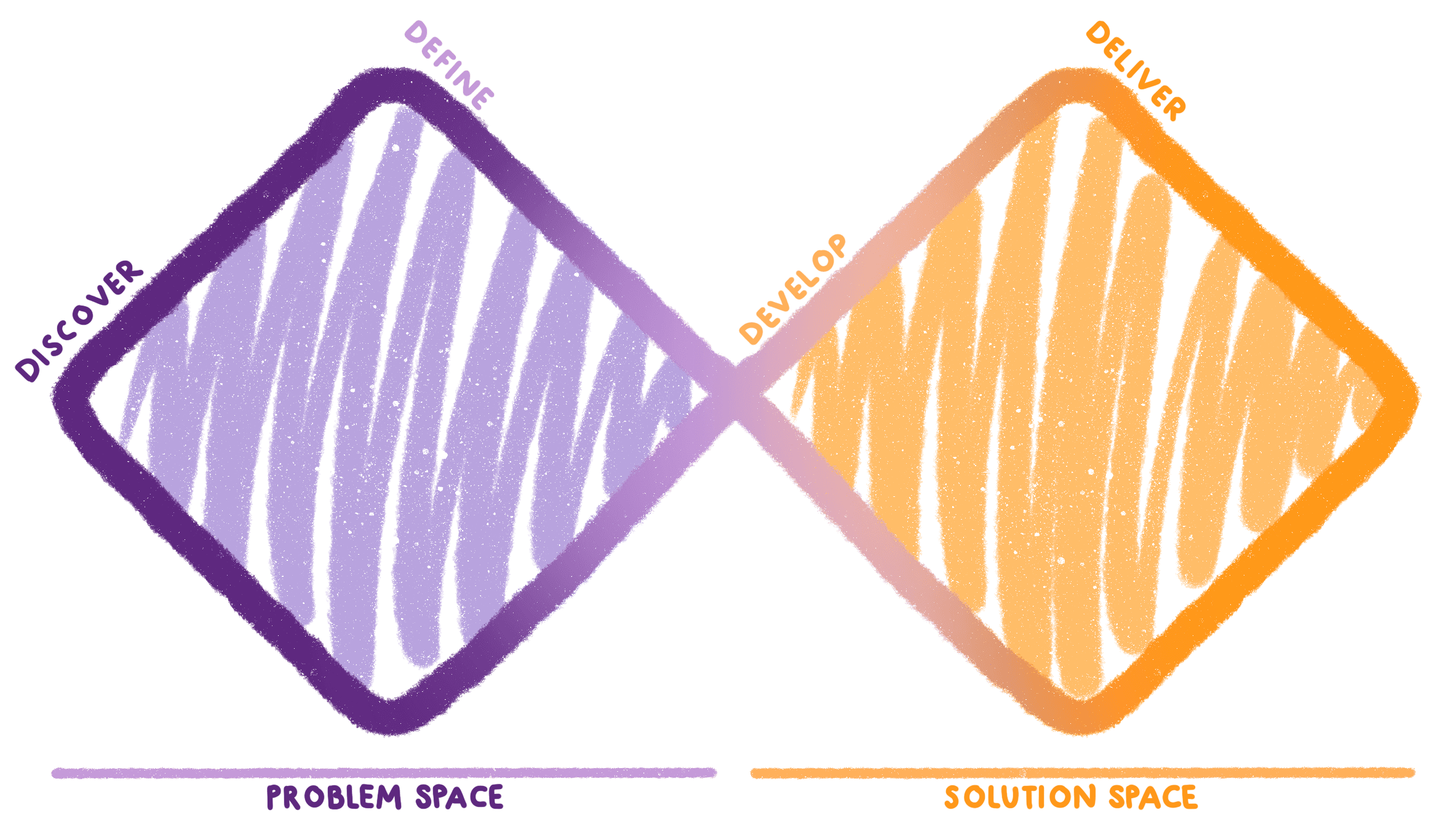
This is the second phase of my major project, which therefore focuses on the second half of the Double Diamond process: Develop and Deliver. I went through an extensive ideation process to come up with several concept ideas, evaluating them with the help of target users to move the best idea forward. This idea was then rigorously prototyped, evaluated, and tested with participants over many iterations to arrive at a final design I believe to be meaningful and impactful for my target users.
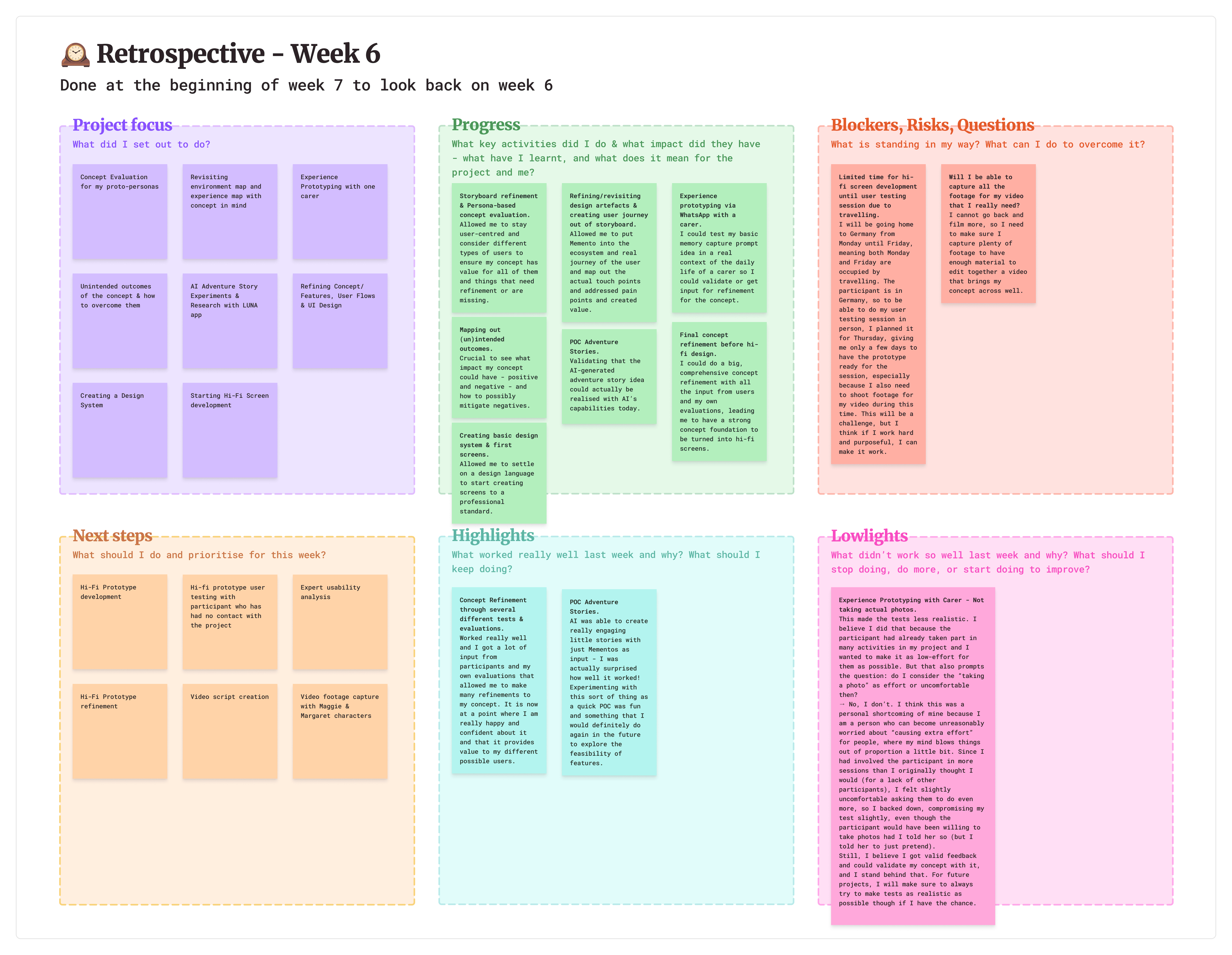
I followed an agile project approach, conducting a retrospective at the start of each new week to reflect on the previous week and to plan and prioritise the next steps for the project. This allowed me to stay very flexible yet alway prepared and on top of everything, and combined with a '9-5' working approach, I could balance my time on the project really well with my private life.
develop
How Might We?
To lay a strong foundation for ideation, I began by revisiting my research insights and reframing them into User Needs Statements based on different fundamental human needs to ensure I remained as human-centred as possible.
I then came up with as many "How might we?"s as possible for each of them, sparking my creativity through different thought prompts like "focus on emotions" or "take it to an extreme". I ranked the HMWs, clustered them into topics, and extracted five promising HMWs that formed the basis for my ideation.
Ideation
I combined creative activities like "What if?" scenarios, Frantic Five, Brainwriting, and even some quickfire ideation from AI to generate a wide spectrum of ideas.
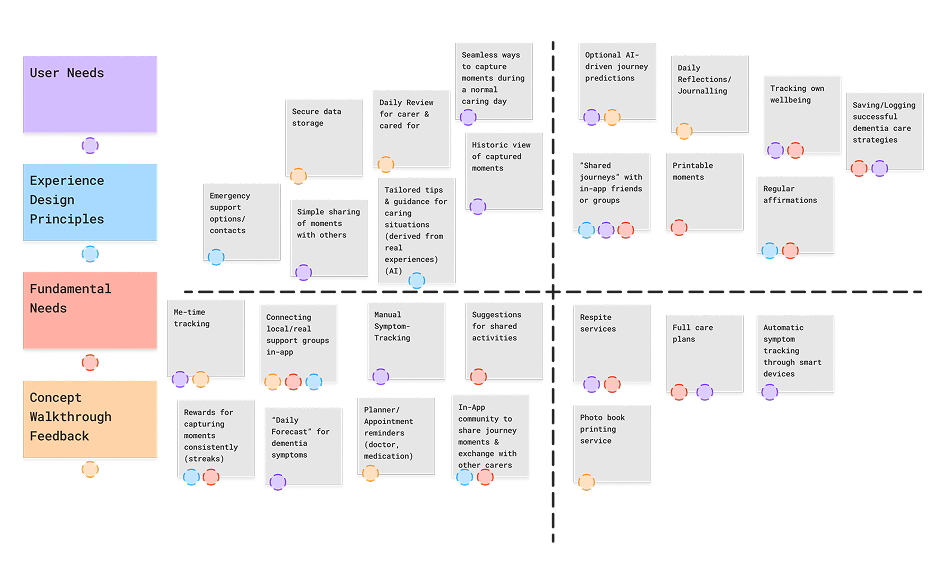
I then clustered these ideas into related topics, which then formed some very rough basic concept ideas that I could evaluate. For this, I chose a "How? Now. Wow!" matrix to spot which ideas hit that sweet spot of being original and exciting while still being feasible for my project context and scope.
Concept Walkthroughs with Carers
Three concepts were chosen to be storyboarded. This made them more tangible for concept walkthroughs with 5 participants from my target user group. I also utilised AI, letting it assume 3 personas of potential users based on my research and review the three concepts from their point of view to enrich my real user feedback.
As a result of these concept walkthroughs, I chose the concept around shared memory capture to be taken forward, as it was favourited by my participants.
UX Vision Pivot
Choosing the memory capture concept left me with a decision to make about the project direction because it didn't really fit the original UX Vision.
When I created my initial UX Vision, its direction was influenced by an early concept idea spark for a "neighbourhood help" service that I got already during the research phase. However, as I reminded myself to embrace divergent ideas during the ideation process, I came up with concepts going in other directions too, leading to the memory capture concept idea.
The concept walkthroughs made me realise that this concept was seen as more meaningful and creative to my target users than the neighbourhood help service, and that memories were an incredibly powerful thing for carers. Together with concerns about trust and safeguarding in a neighbourhood help service, I was confident in my decision to choose the memory capture concept and pivot my UX Vision to a new one with new Experience Design Principles.
There is an opportunity for a product/service for informal carers for someone with dementia who want to feel emotionally supported and connected to their loved one through everyday care but feel stretched and overwhelmed by the constant demands and the emotional weight of caregiving.
Supportive
Carers feel emotionally understood & guided.
Empowering
Carers feel empowered to take on the challenges of caregiving.
Connecting
Carers nurture a sense of closeness with those around them.
Low-Fidelity Prototyping
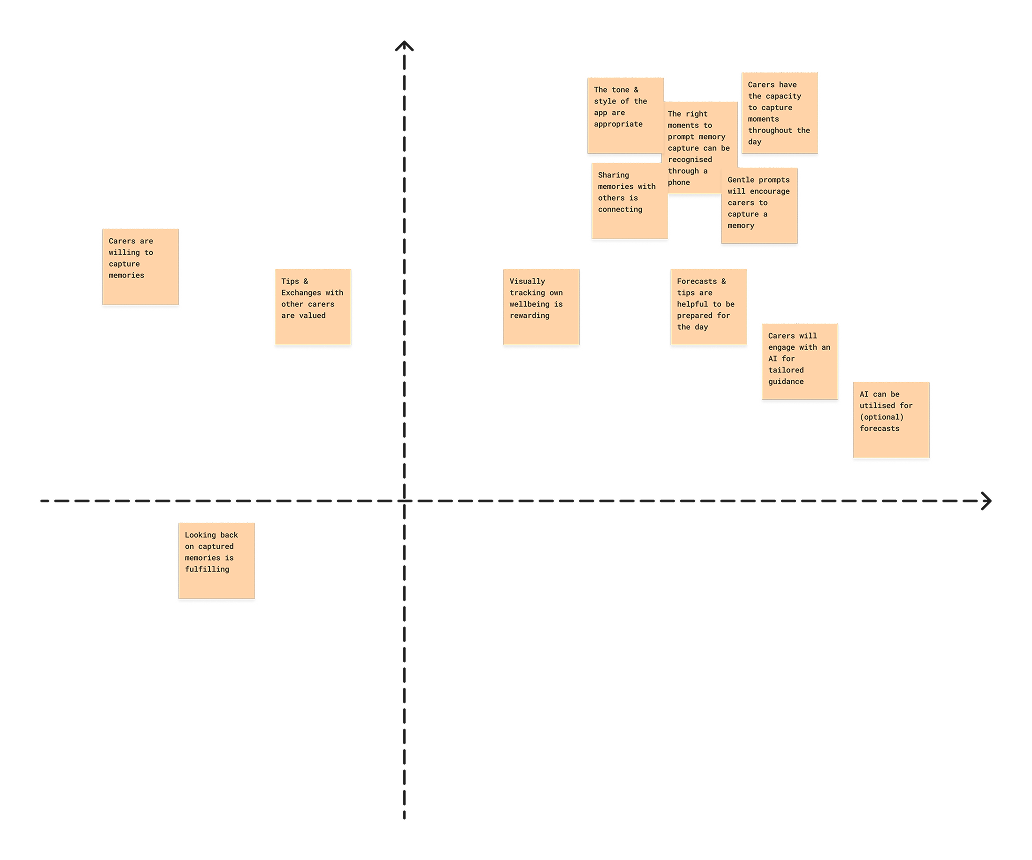
With a clear project direction and a user-endorsed concept idea at the ready, I began the process of constant iterative concept development and refinement through prototyping. This entire process was guided by an ongoing evolving risk-uncertainty assumptions matrix and the MoSCoW method for requirement analysis and prioritisation, ensuring that every prototype answered an important question about my concept to move it forward.
Bodystorming
Bodystorming helped me to explore how my concept could prompt carers at the optimal time to capture a moment, to avoid prompts feeling like disturbances. I found that that I could infer many receptive moments with simple phone data - detecting that picking up the phone after a period of not using it often meant the carer was having a small micro-break where they could be receptive to a prompt.
Peer Experience Prototyping
Participants acted out care scenarios and I simulated prompts by playing a sound and reading out a notification text, to which the participant acting as the carer could respond to with "Yes", "No", or "Later". In the evening, I sent the captured photos back to the participants to simulate a review of the day.
Overall, the concept was received very positively, and I found that gentle prompt sounds and phrasings were consistently received the best by all participants.
Wireframing & User Testing with Maze
I created key user flows, an initial sitemap, and then sketched wireframes on paper. After a carer participant cancelled an in-person user testing session, I took that as an opportunity to set up a unmoderated online wireframe test with Maze, enabling both the original participant and an additional 3 peers to complete the test.
I could validate the intuitiveness of my basic user flows, compared layout options, and developed a new review option (Photo Collection) in response to user feedback.
Google Photos Case Study
To explore how AI could be leveraged for Memento's review features, I conducted research around "AI-powered reminiscing" by reviewing a case study from Google Photos.
I also learned about and incorporated key rules and patterns for designing with AI into Memento - for example "Letting users supervise automation" by making AI features optional and by giving users the option to hide mementos from view based on faces, pets, or dates.
Proof of Concept Adventure Stories
To explore if current AI tools could create engaging stories with just Mementos as input, I first analysed an existing app, Luna, that generates illustrated children's bedtime stories based on a few words of user input. This gave me confidence that AI-based story generation was feasible in general.
Then, I got to work with ChatGPT to create my own adventure stories with just some sample Mementos I had created from my own life as input. The results were surprisingly engaging stories and illustrations, allowing me to fully validate the feasibility of my adventure story review idea.
Experience Prototyping with a Carer
I conducted one more experience prototyping session with a carer, where I simulated app prompts by sending them text messages throughout a real day in their life. Before that, they told me the approximate times when they would be with their loved one, like they would also do when setting up the Memento app.
I sent the participant three prompts throughout the day and they responded positively to each of them, finally validating my core assumption.
Persona-Based Concept Evaluation
To ensure that Memento remained user-centred and provided value to different kinds of target users, I developed three proto-personas based on a broader dementia carer archetype created during the first project half.
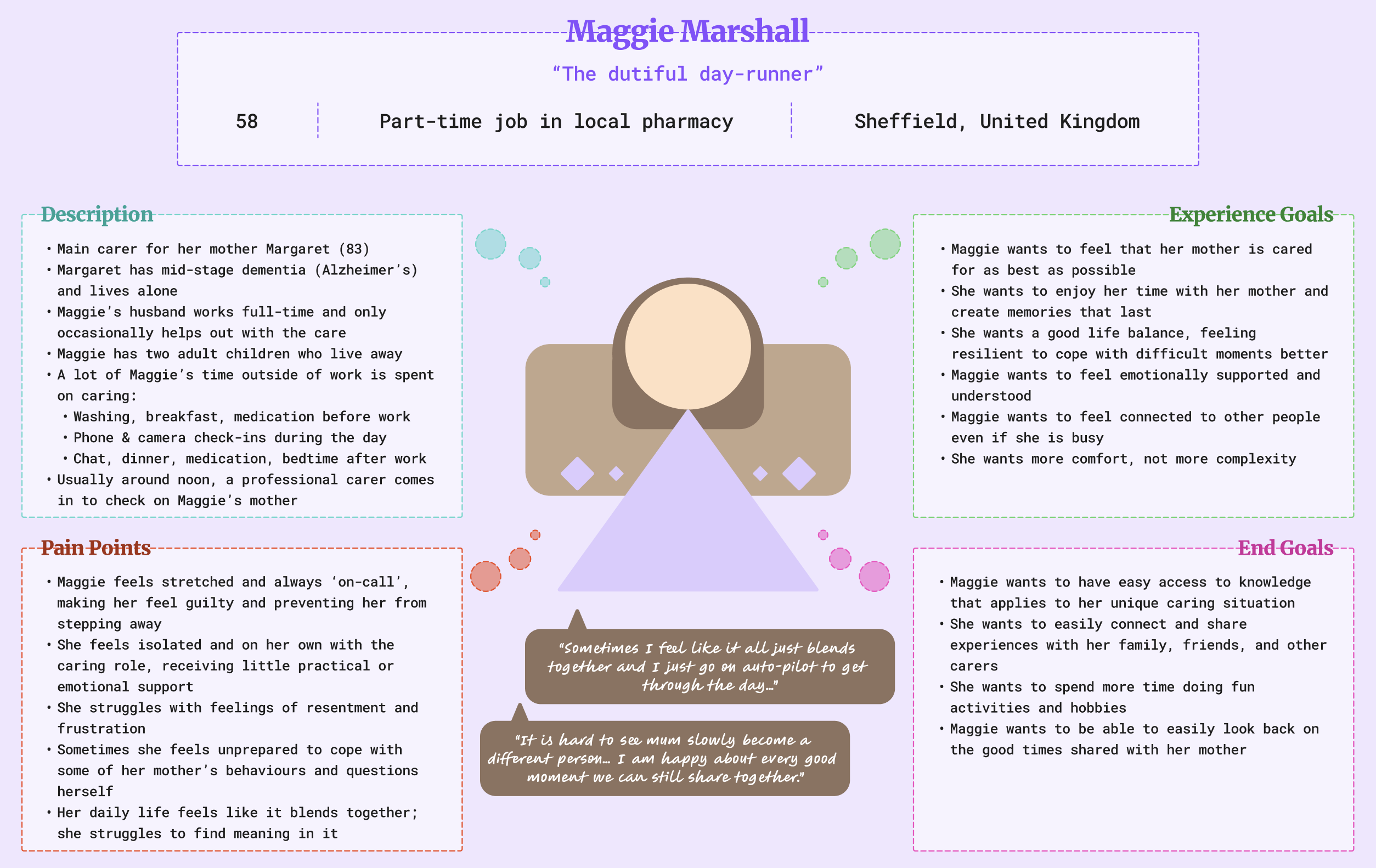
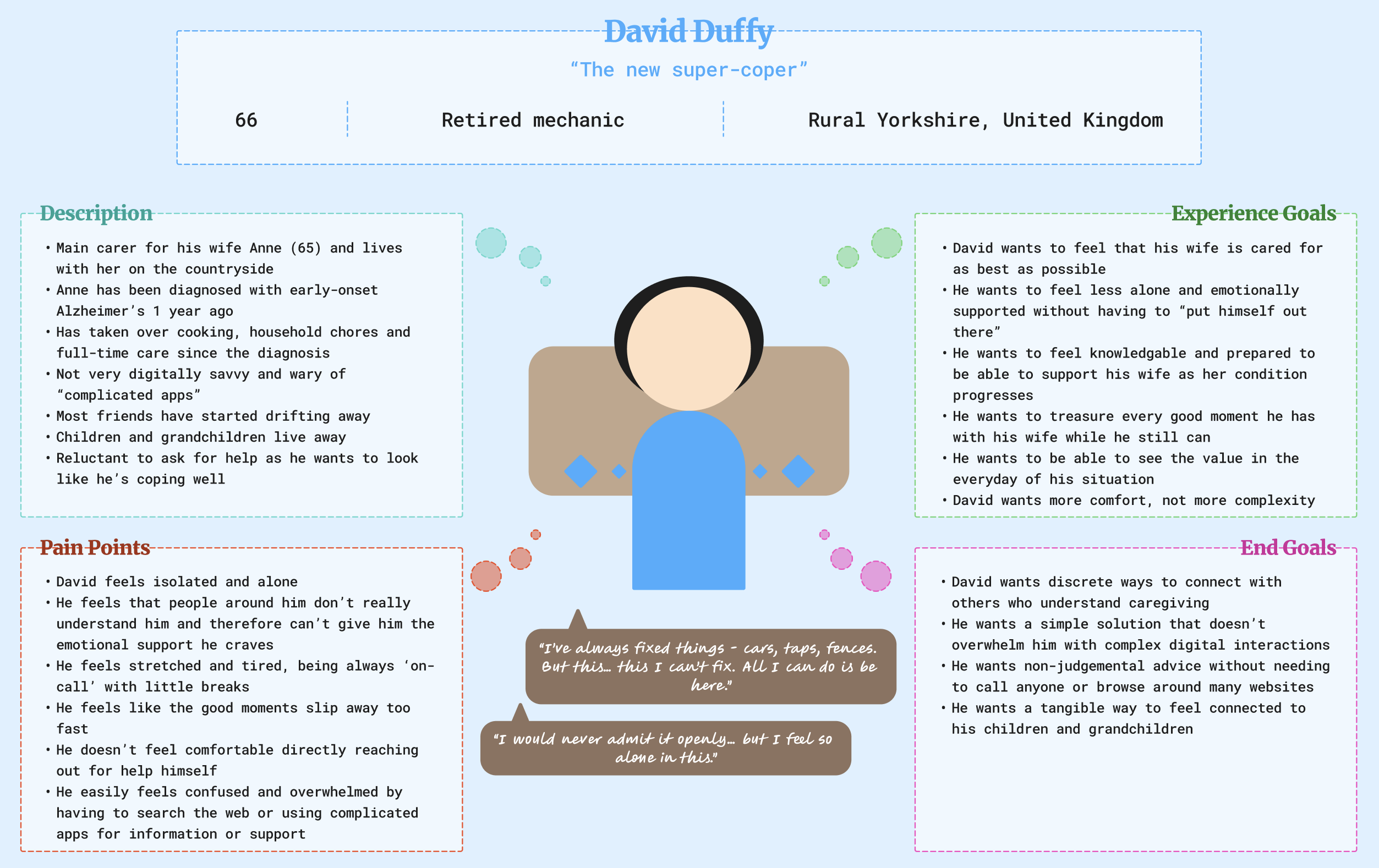
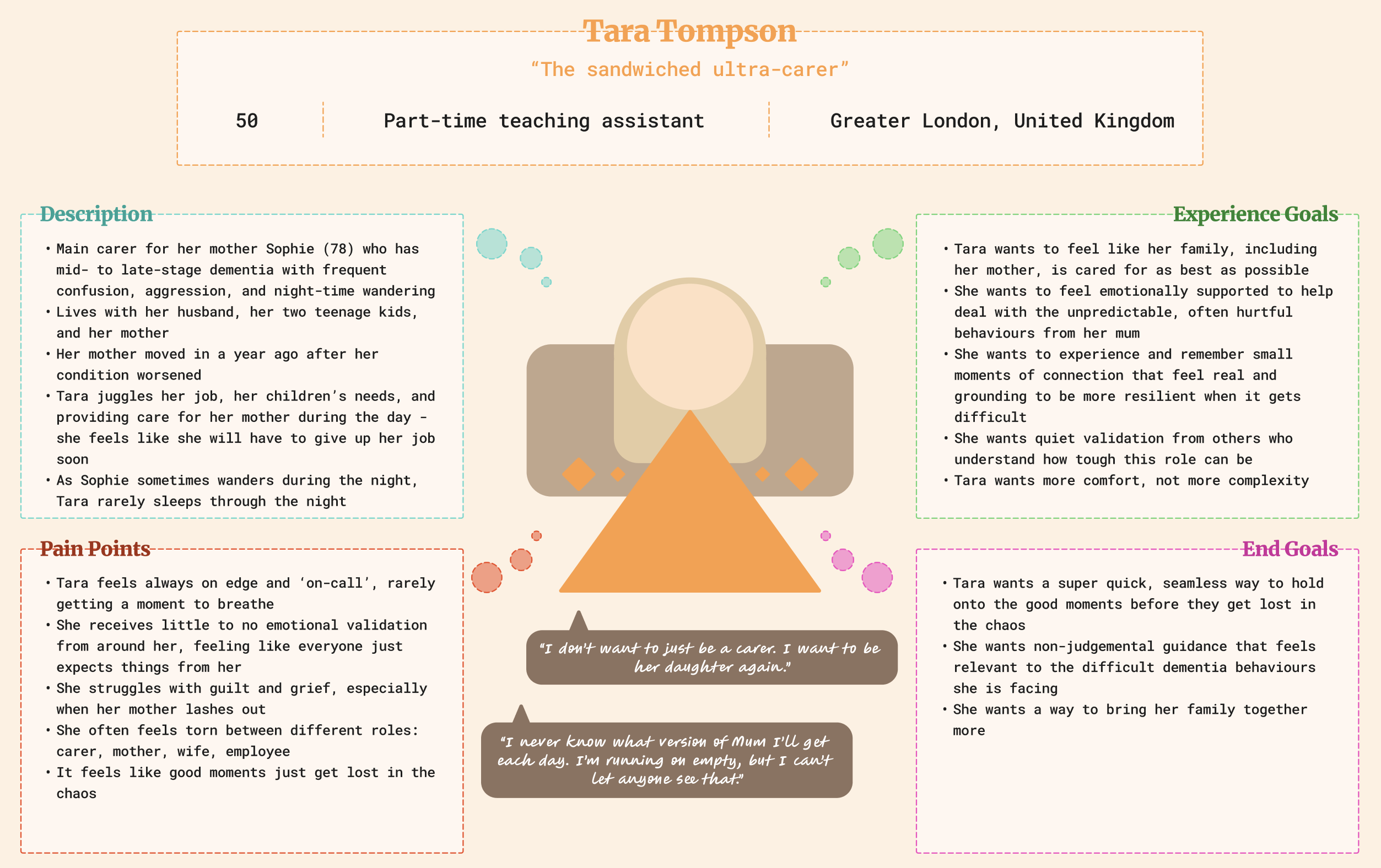
I then evaluated the concept using a reworked version of my storyboard, where I walked through each step from David and Tara's point of view as well.
Overall, this allowed me to see that Memento could provide value to different kinds of target users through its variety of different feature options. Even if not every feature would resonate fully with every person due to every carer's unique situations - the basic concept of capturing memories works for all of them, as long as the experience is kept very simple, intuitive, and flexible.
deliver
High-Fidelity Prototyping
At this point, I was very confident in Memento as a refined concept, so I developed a first high-fidelity prototype in Figma based on a refined sitemap and user flows and set up another user test with a participant as well as conducting a usability analysis of the design myself as an expert user.
User Testing
I conducted the user test with a participant who had no prior knowledge of the concept. This allowed me to get very positive experiential feedback and I could validate that the design was easy to use, intuitive, and conveyed its intentions effectively to a novice user.
Expert Usability Analysis
I realised that I needed to make some refinements of the design to increase contrasts and readability for better accessibility. This is very relevant for Memento, as its target users can be older and struggle with over the top designs - the proto-persona David being a good example of that.
My use of gradients in the app was such an over-the top design, so I changed it to rely more on simple drop shadows as well as increasing the opacity of elements like the nav bar. I also changed the text colour in orange buttons from white to dark purple, improving button readability.
Outcomes Evaluation
After all these iterations, the final Memento seems like a pretty good concept. However, one of my core beliefs as a designer is that any design can only be considered good if it is also ethically sound - and that includes considering not just its desirable, but also undesirable outcomes and how to overcome them.
This gave me further confidence in Memento, as I found that some unintended outcomes even offered positive opportunities for the future of the concept.
Design System
I chose a colour theme of purples and orange reminiscent of images of "purple sunsets", inspired by the scenario of standing amongst such a sunset, experiencing feelings of calm, but also somberness for a topic like caring, which can be joyful, calm, but also difficult.
The combination of a playful serif and a more grounded sans-serif font continue this dual motif in the design's typography.
The Final Design
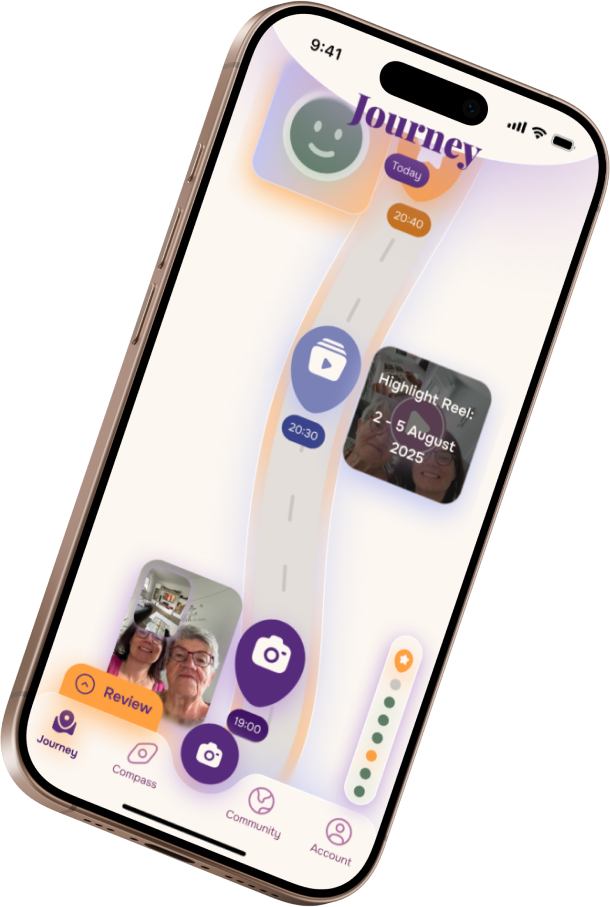
Memento gently prompts informal carers to capture photo memories, Mementos, with their loved one, and it allows the carers to reminisce and reflect in their own unique visual journey - or to share their Mementos and connect with others.
Click on the button below to see a video prototype of Memento in action and the impact it can have on an informal carer's daily life.
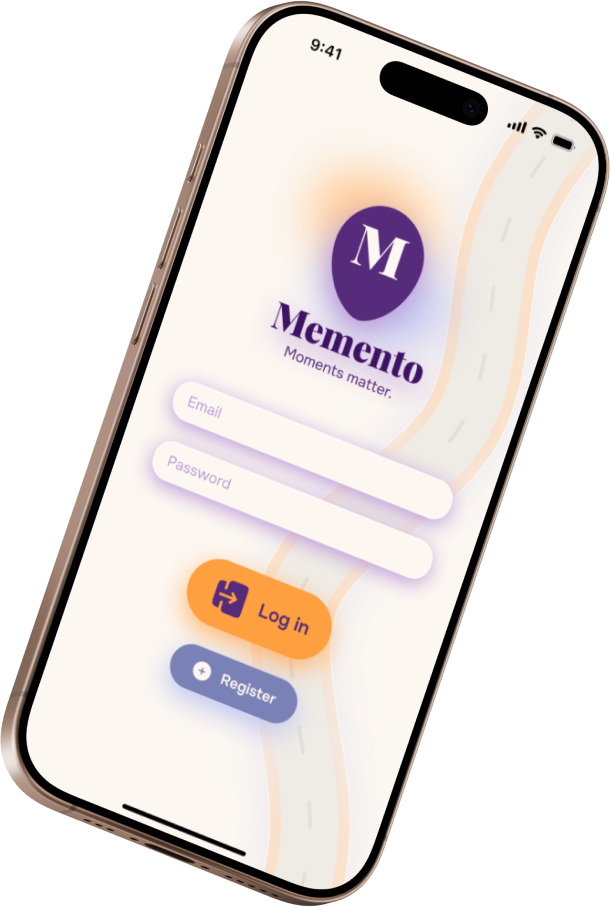
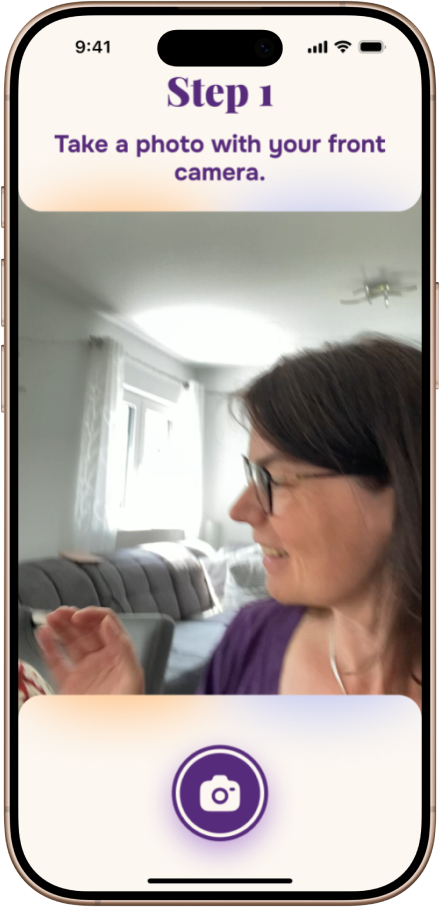
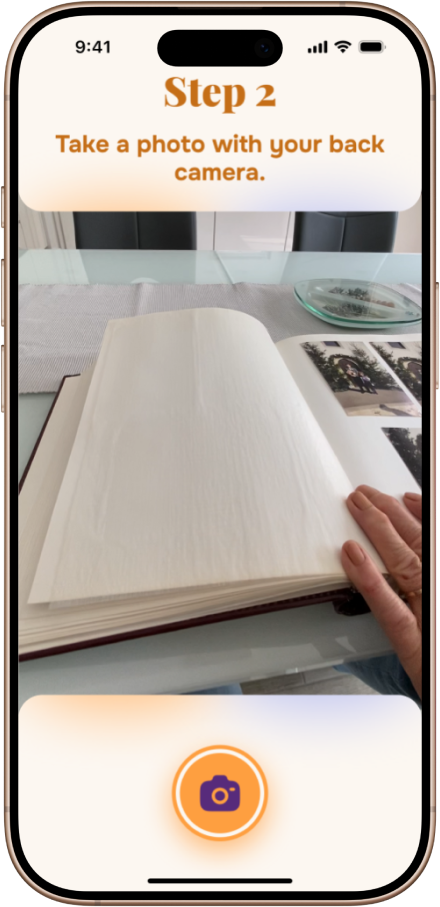
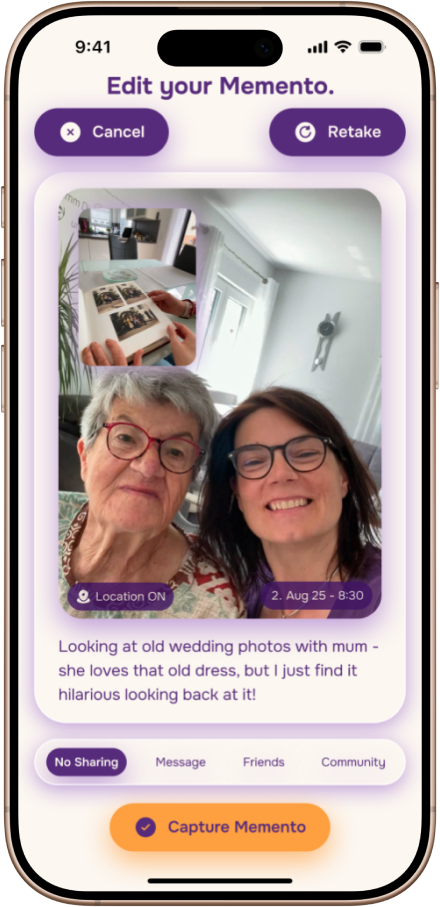
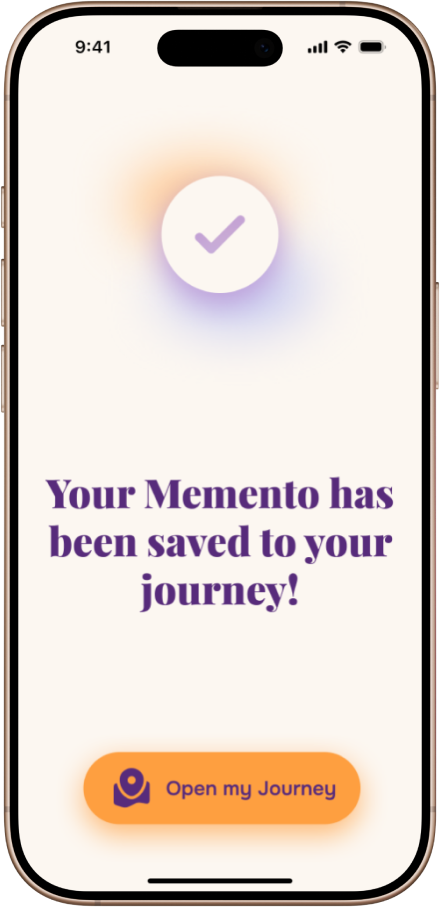
Memento Capture
The user is guided through capturing Mementos with simple, intuitive steps. The front and back cameras of the phone are used to capture not just the faces but also the environment around the carer and cared-for during a shared moment.
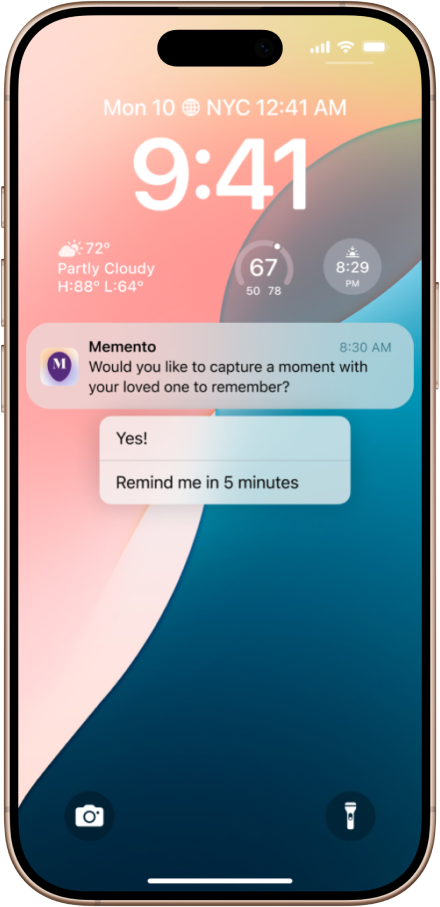
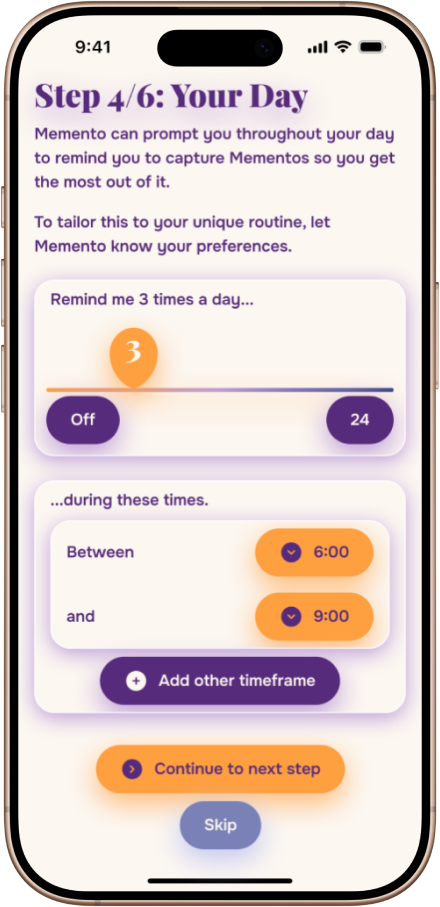
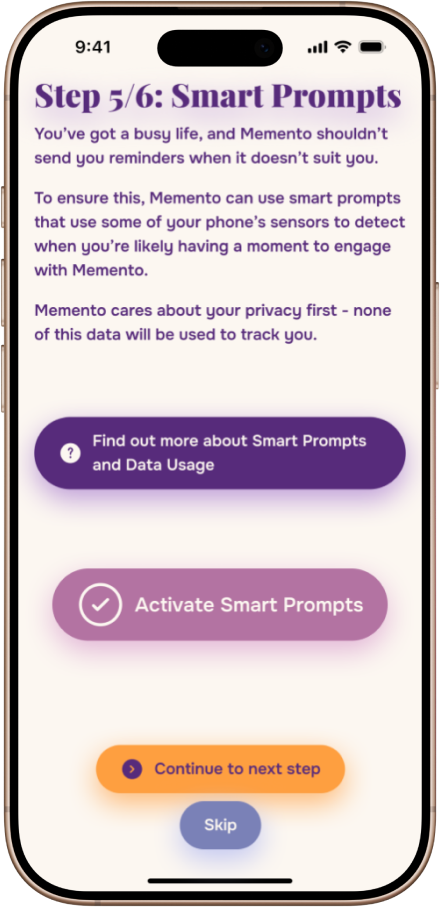
Smart Prompting
If opted in, Memento sends out gentle prompts to capture Mementos when receptive moments are recognised that don't feel like disturbances. Pre-defined care times are combined with detection of the phone being picked up after some down time or the carer being in a special place like a café, and the app learns from the user's responses to prompts.
Visual Journey Road
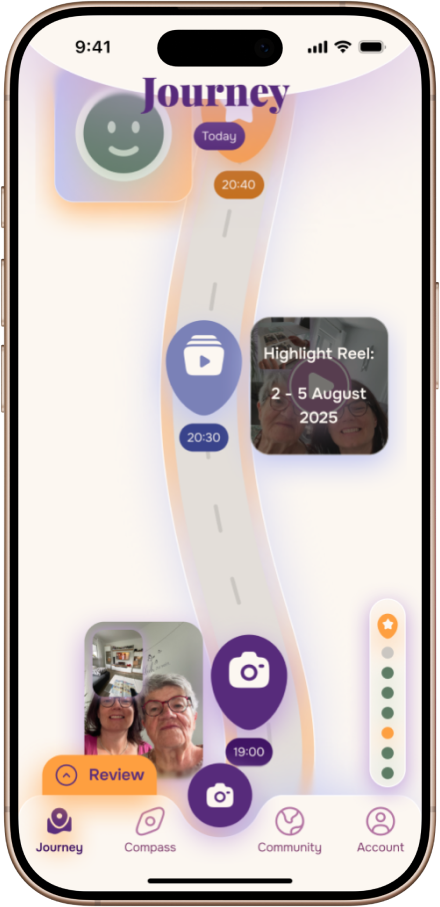
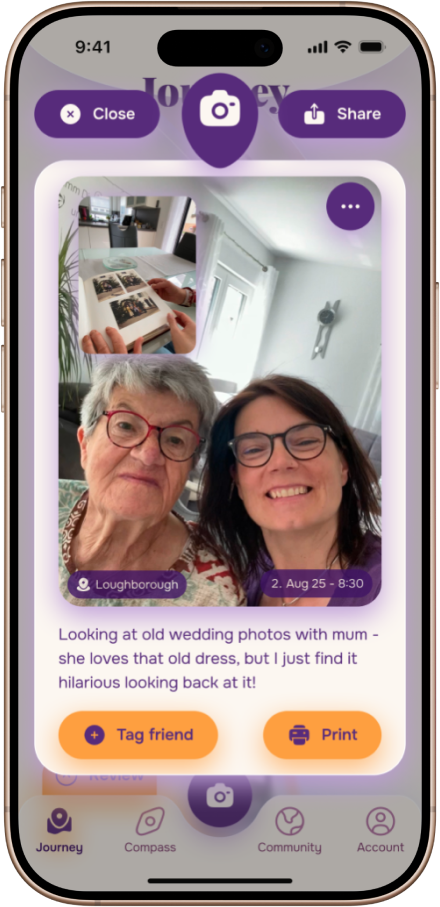
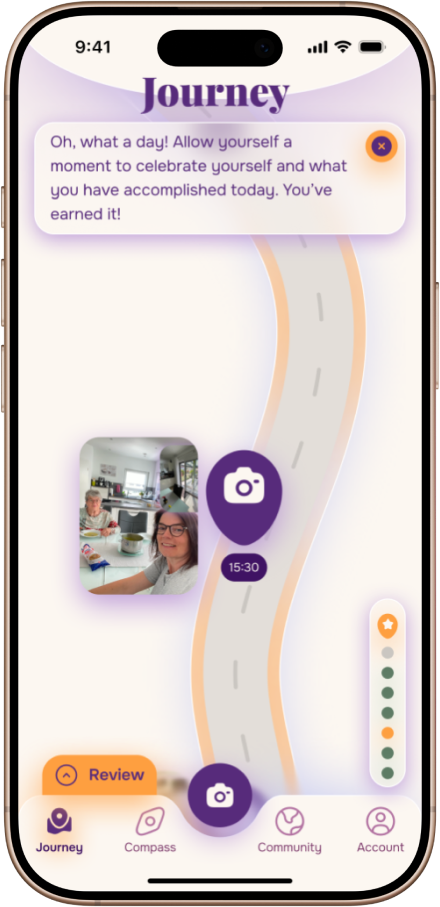
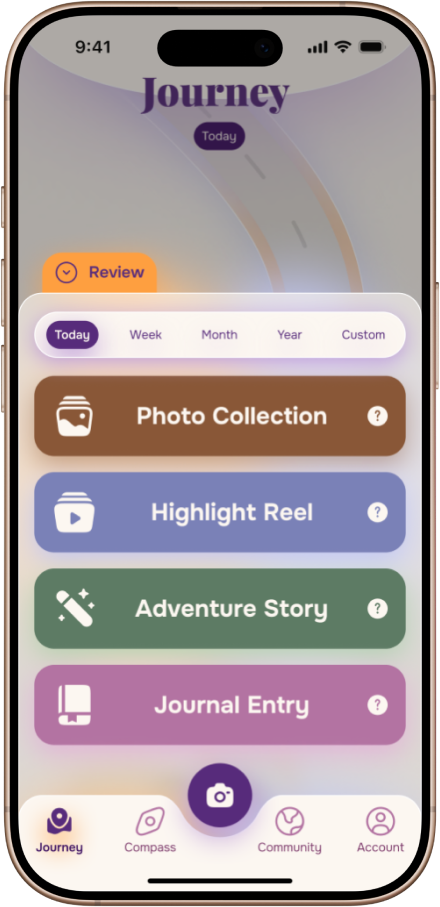
The user collects Mementos as well as reviews and day ratings on a unique, personal journey road. They can scroll through their past moments and look at them again in detail at any time.
Support Options
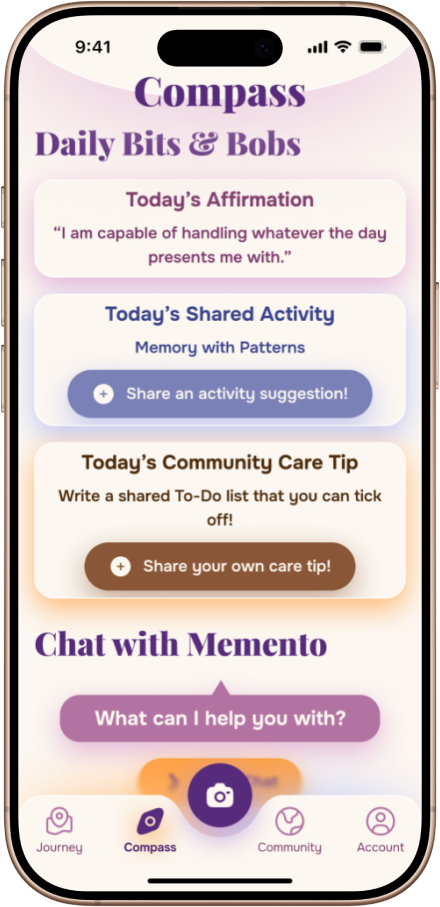
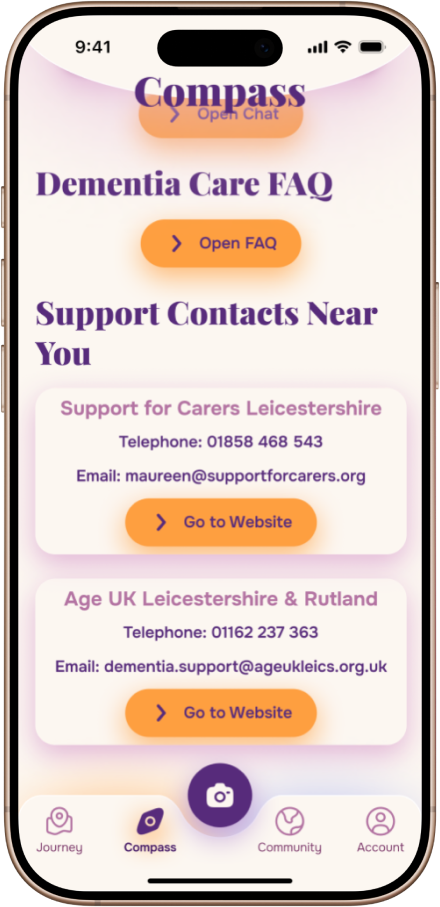
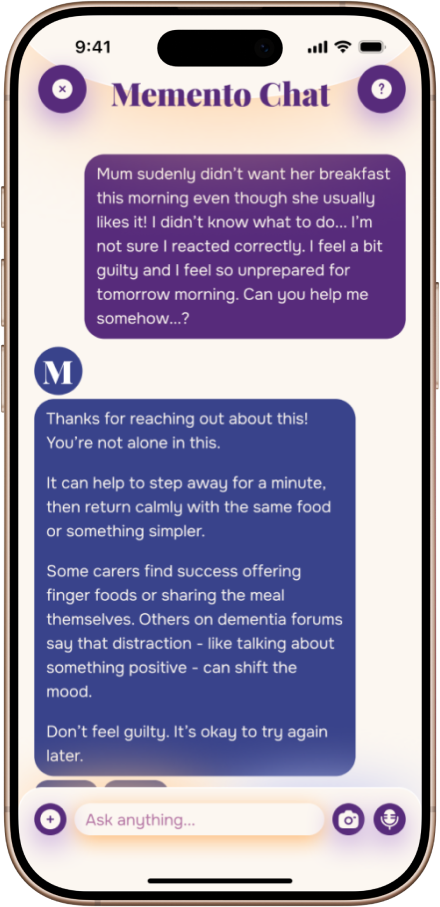
A variety of different support options are offered - ranging from in-app affirmational popups, tips from other carers, an FAQ, and local support contacts to an AI chat as a calm, non-judgemental friend who is always there to support you and to gently point out the positive.
Reviews & Day Ratings
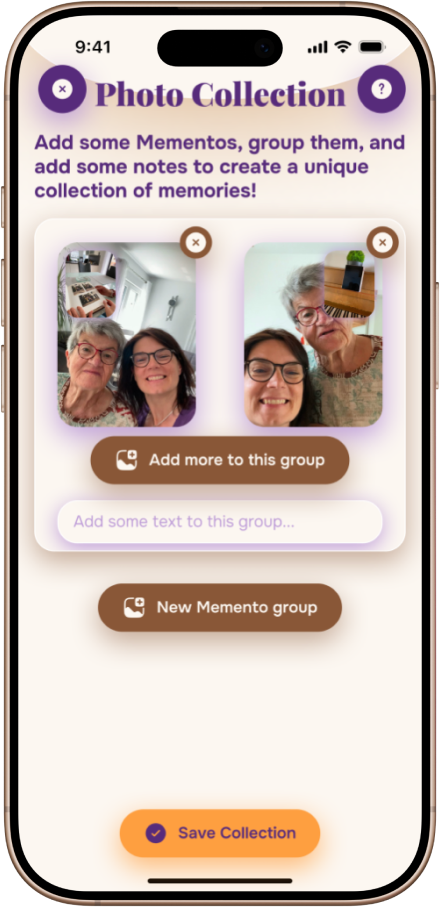
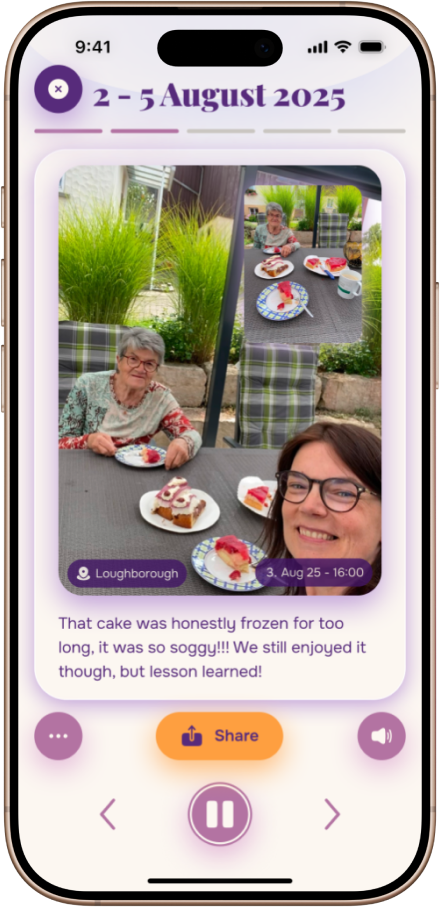
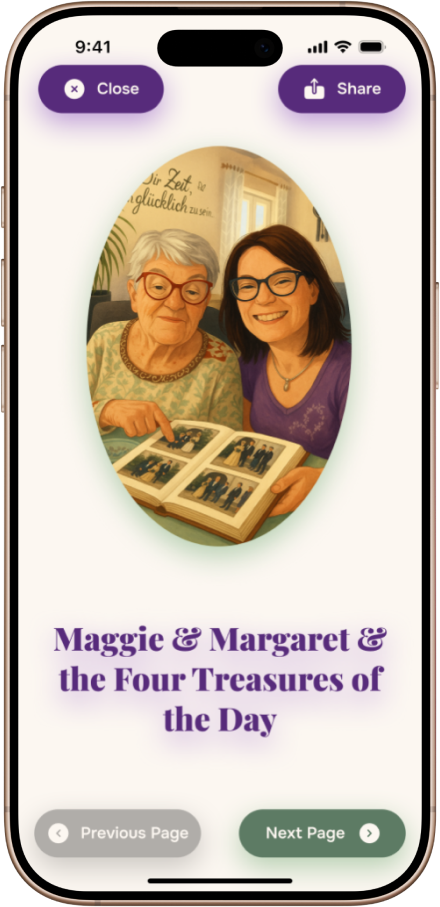
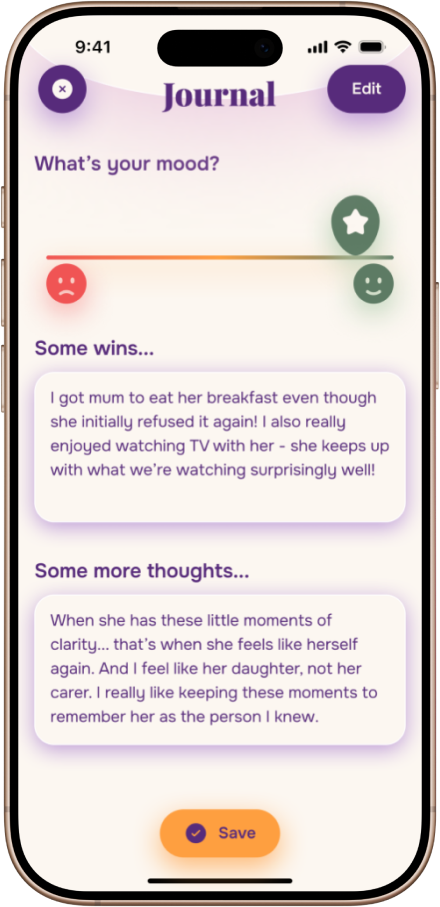
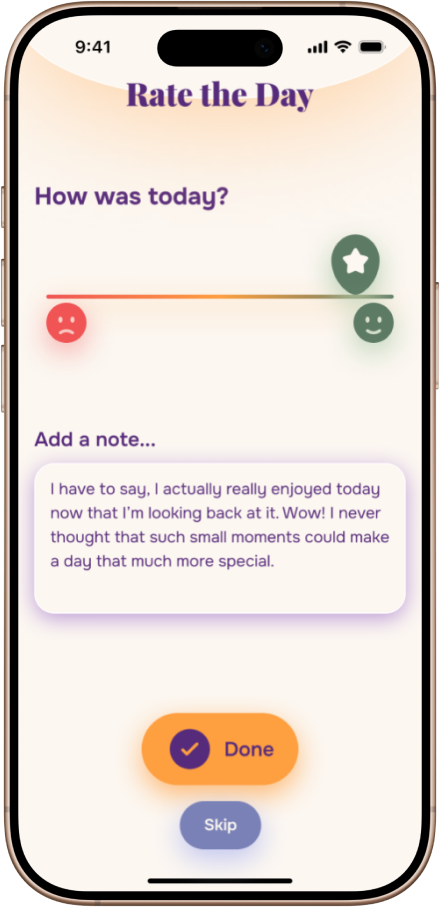
Reviews and day ratings invite the carer to reminisce, with various options that suit different carers. Reviews are simple printable photo collections, highlight reels with fitting audio, engaging AI-generated adventure stories, or more quiet and private journal entries.
Community & Sharing
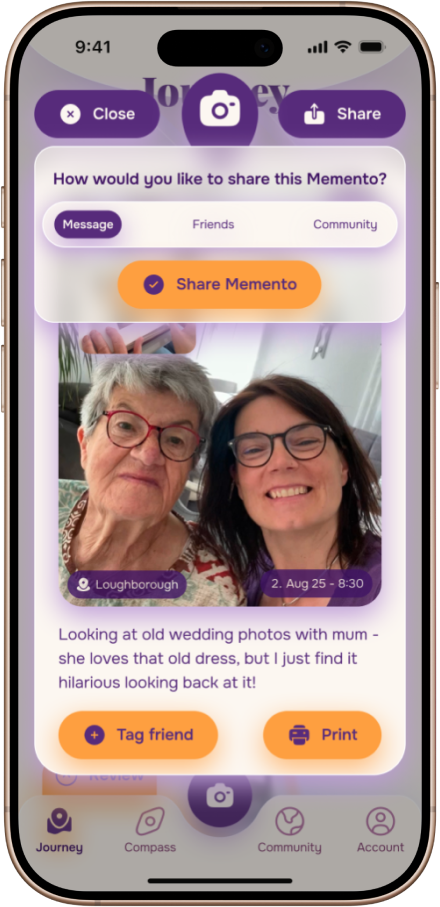
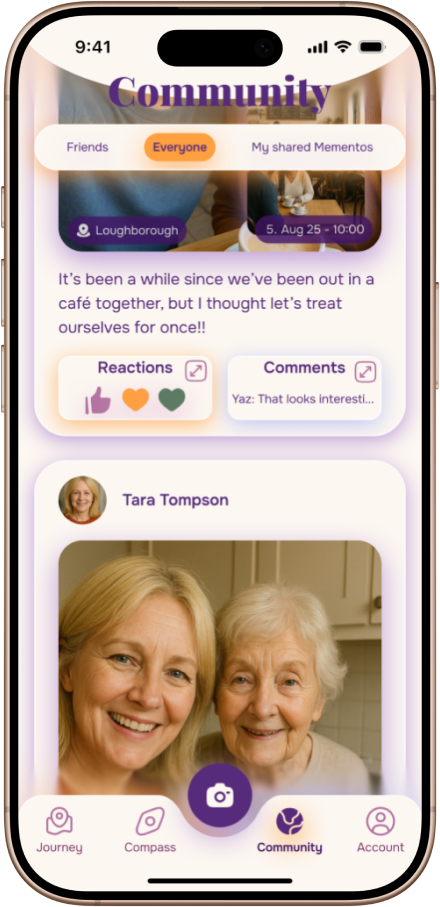
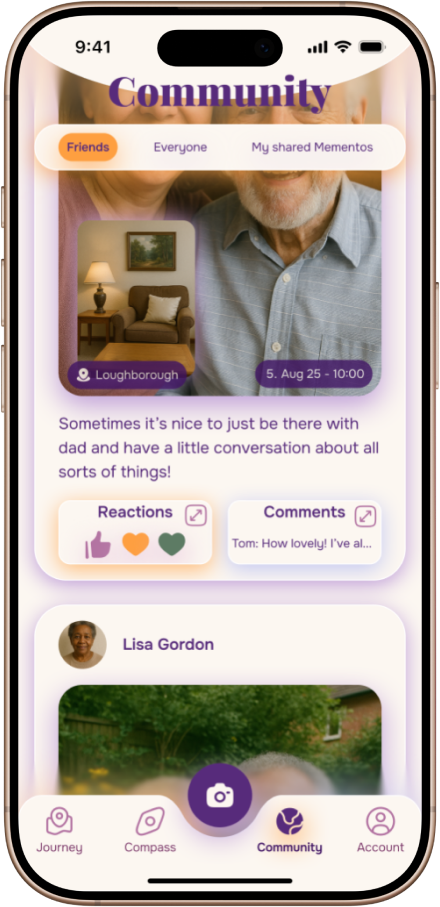
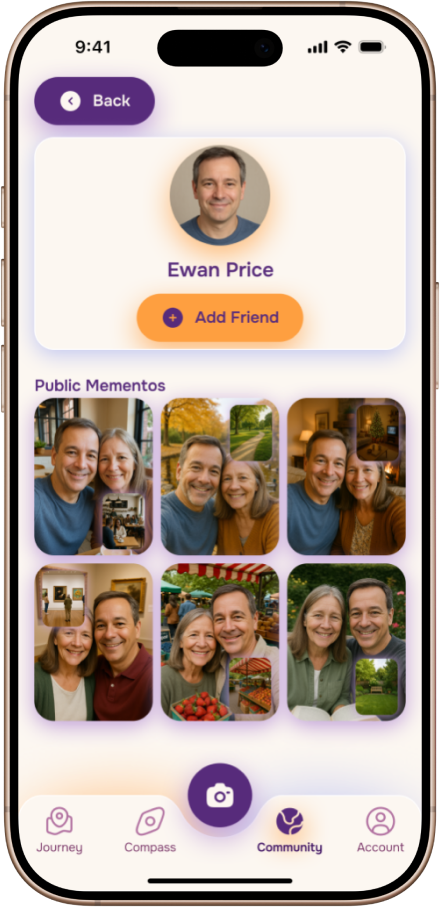
Users have the option to share Mementos, fostering connections to others around them. Sharing can be done by exporting Mementos and sending them on social apps, or directly via an in-app community with all users or just a group of friends.
reflections
I have to be honest - this felt like the best and smoothest running project I have ever done, as I was able to manage my time very well very consistently, and I am happy with how almost everything went. However, looking back, I do recognise some things I would do differently in the future.
Most importantly, I would have liked to do more prototyping in a real context and optimally in-person with carers. My small participant sample and their limited availability, especially later on for the wireframe and high-fi prototype, meant that I had to rely on peers and overall very small sample sizes, which can skew results. For future projects, I will try to ensure to get more participants that fall into the target user group to get more real user feedback for every step of the way.
Despite smaller shortcomings, overall, creating Memento has shown me how far I have come as a UX Designer - both in skills and mindset. In past projects, I struggled repeatedly with my logical, solution-oriented mindset as a former software developer. I found it difficult and scary to keep an open mind and embrace the "tangled web" of the design process, often questioning myself in the process. However, this time around, I felt a lot more confident making decisions, making rough plans but staying spontaneous, and being more open to different ideas.
The prime example for this being my ideation process, where I reminded myself to stay open-minded and consider divergent ideas. Ultimately, this lead to me even discarding a concept I had previously silently favoured for a new one that I recognised to be better and more meaningful, and embracing a pivot in project direction alongside this.
I believe this project has been a milestone of me really coming into my own as a UX Designer.
what's next?
After very positive feedback to my presentation of the project from Loughborough University, I have been encouraged to try and take the concept further and realise it as an actual app. Given my experience with software development, I am open to starting an implementation of the app in the future - which I intend to keep fully open source to allow for contributions of whoever developer or designer wants to do their little part in creating something that truly cares about the carers.
