Smarti

overview
Disclaimer
This case study is currently incomplete. For now, it only includes the design outputs of the project. The rest of the process (discovery, synthesis, ideation, user testing) will be added in the near future.
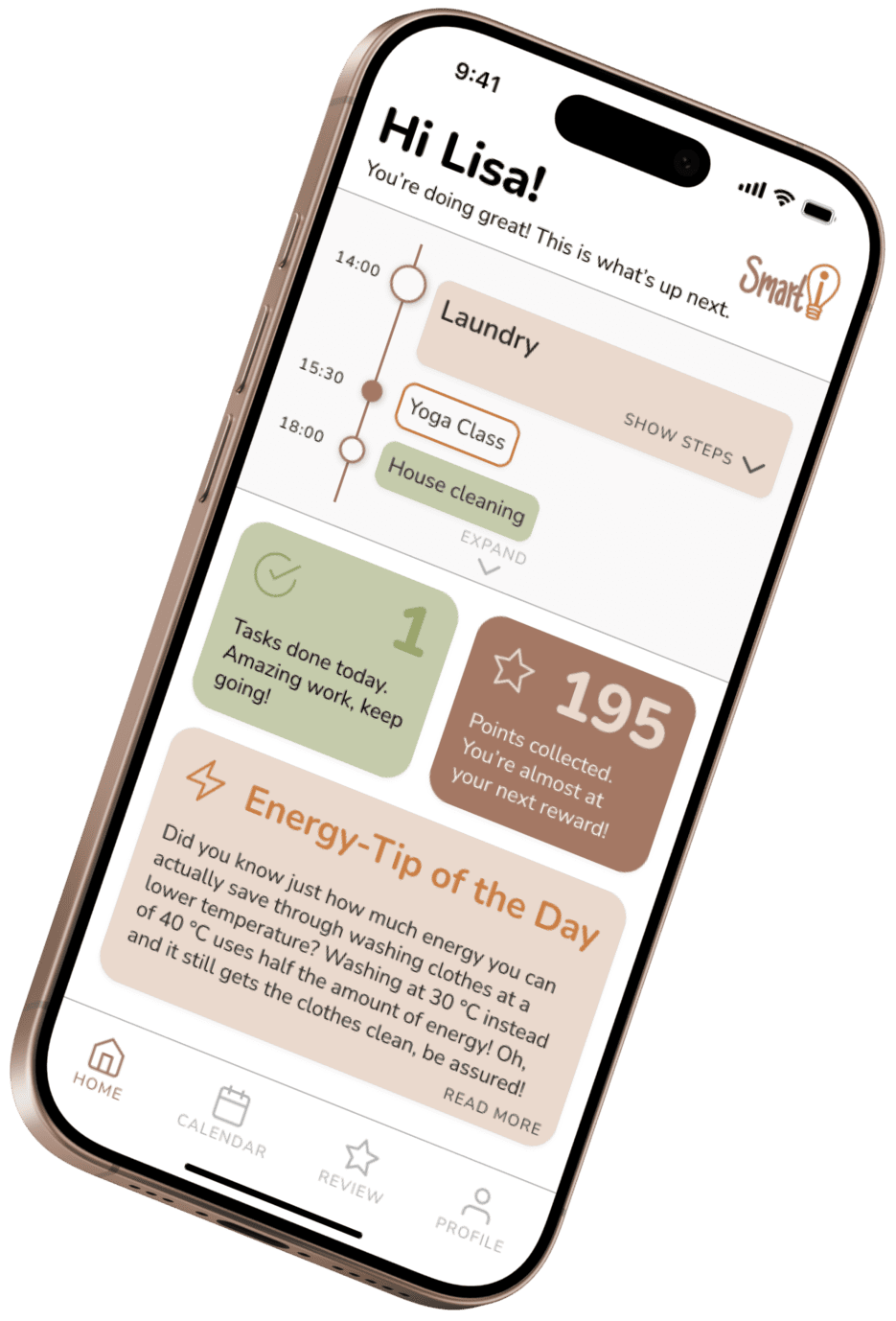
In a nutshell
Domestic energy consumption is responsible for a large amount of greenhouse gas emissions in the UK - making it a intriguing topic with large potential for sustainability-focused design interventions. The main question is: who to target and how to really make a difference?
Through research, I discovered that family coordinators, often the mothers in a household, are the most likely to influence the whole family to adopt more sustainable habits - if you frame them in a way that makes their incredibly busy life a little easier to manage. This lead me to design a smart scheduling app that lets a user be more organised in their daily life while leveraging AI to smartly schedule tasks. It identifies when to place which tasks along the daily timeline to create a schedule that aligns with the user's unique situation while being as energy-efficient as possible.

8 weeks

Solo UX Designer
Secondary Research, Personas, Storyboarding, COM-B Behaviour Modelling, Ideation, Wireframing, User Testing

Miro, Figma, Marvel, Pen & Paper
Individual Academic Project
develop
Low-Fi Wireframing
Before spending a large amount of time on a high-fidelity Figma prototype and getting hung up on small details, I developed a low-fidelity wireframe prototype. I focused on the core user flow of the app, which means creating tasks and smart-scheduling them with the help of AI.
These low-fidelity wireframes were used to test the concept's perceived helpfulness and the user flow's clarity at an early stage with a target user in a real use context. The basic layout and information architecture were also evaluated within this test session.
deliver
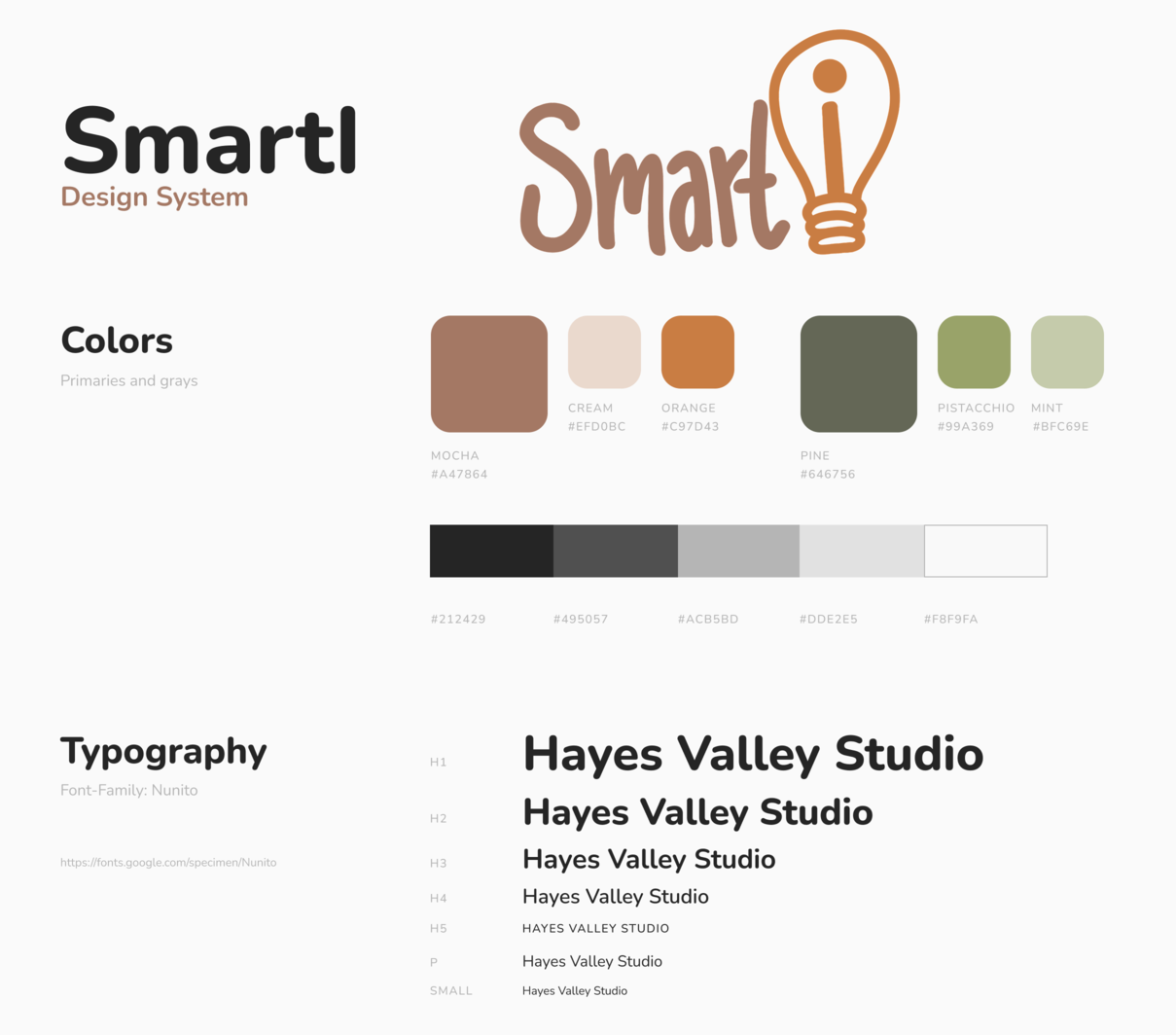
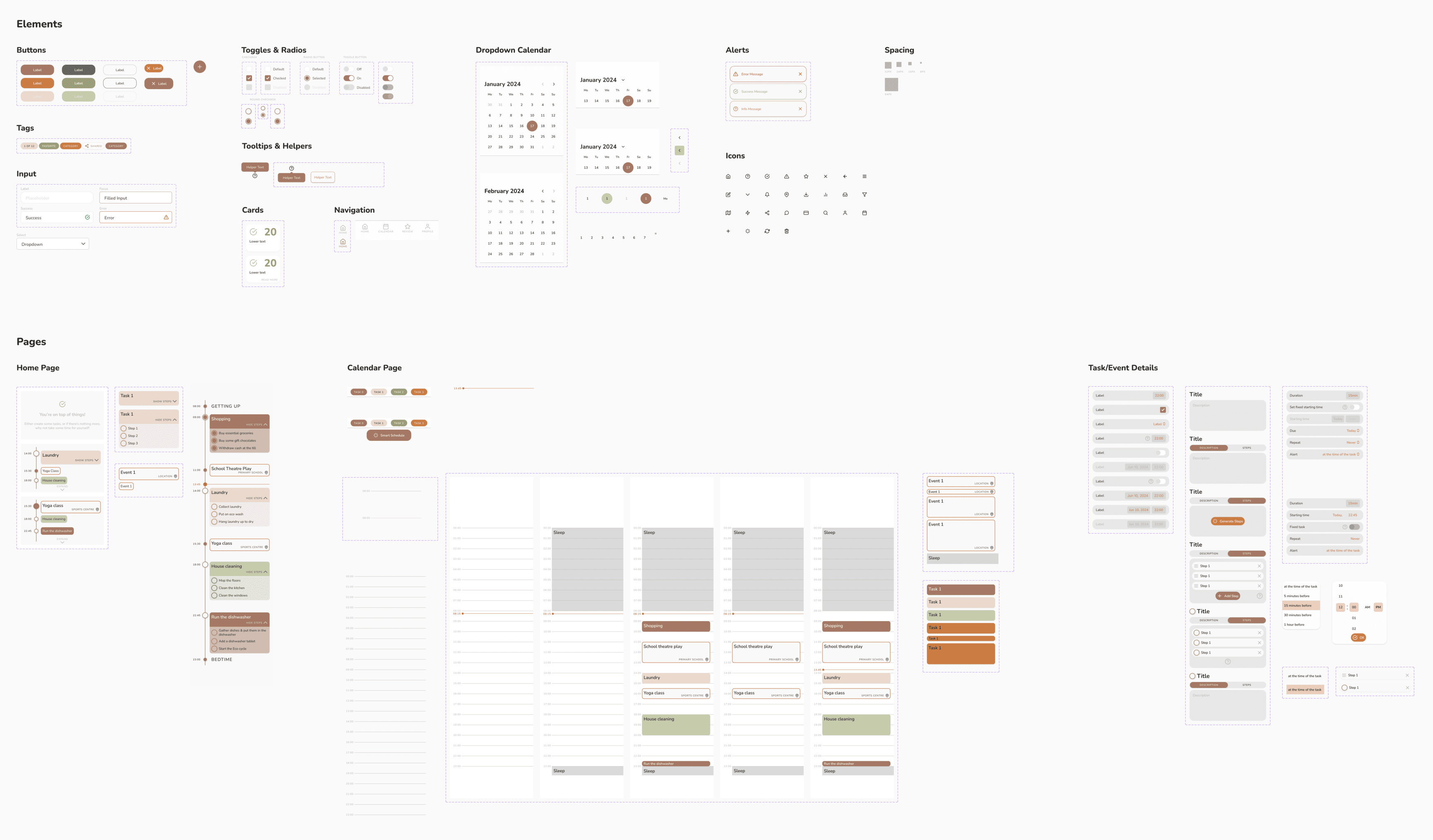
The Design System
Daily Timeline
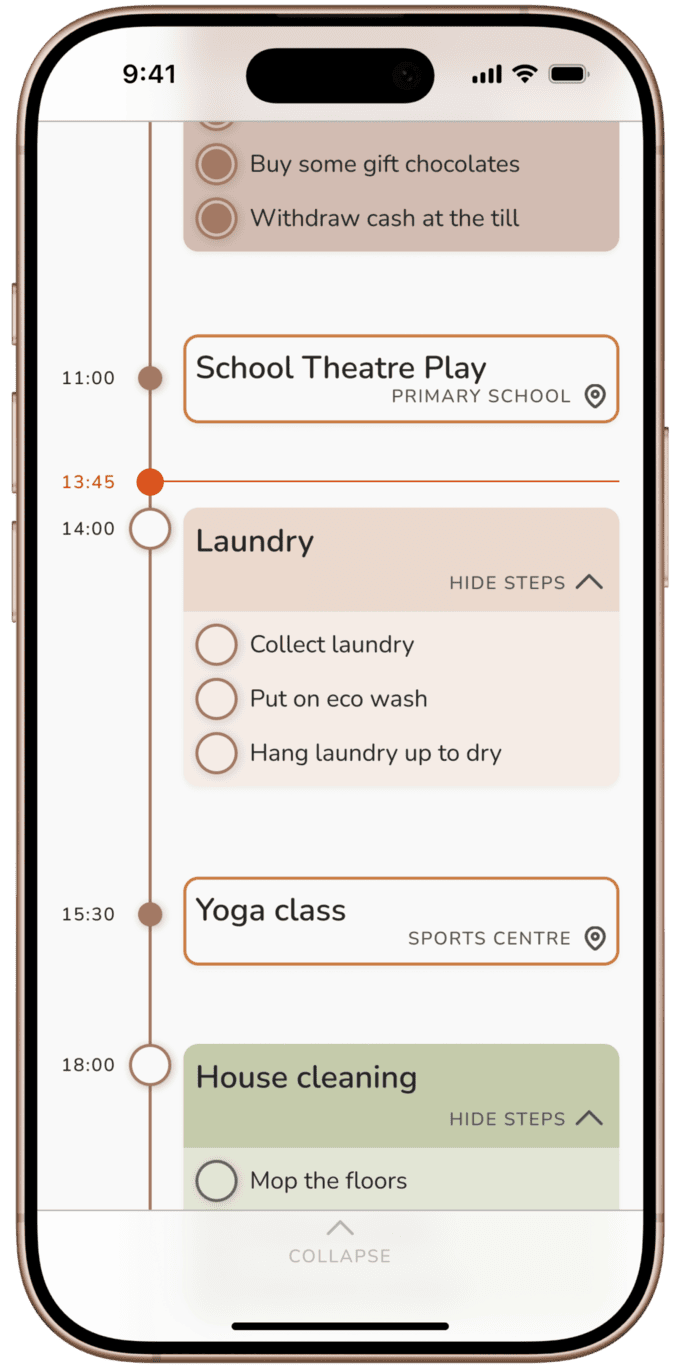
The user can expand the upcoming tasks view on the home page to reveal a full timeline of the day to keep track of all past and upcoming tasks and events of the day. They can also be ticked off in this view.
Calendar View
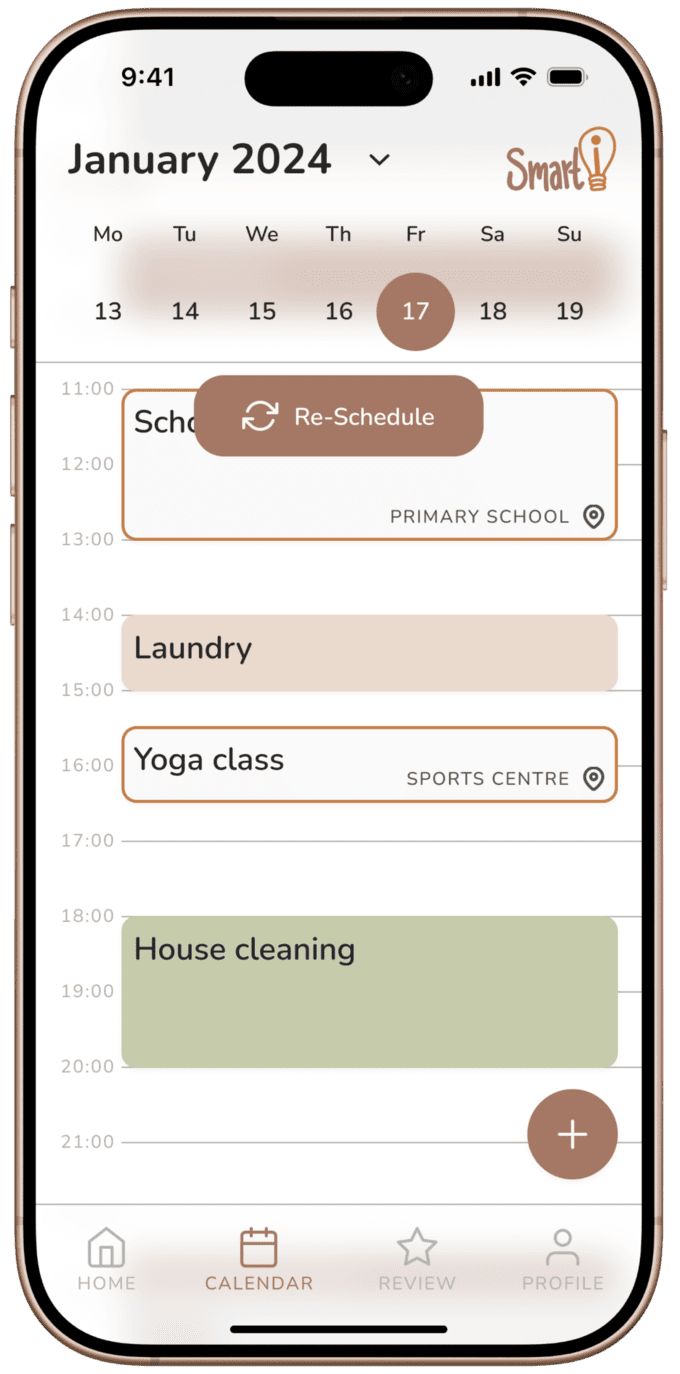
The calendar provides an intuitive, appealing detail view of everything that is planned for the day or for the future. Tasks and events can be dragged to be rearranged and opened in detail views by tapping on them.
Smart Task Scheduling
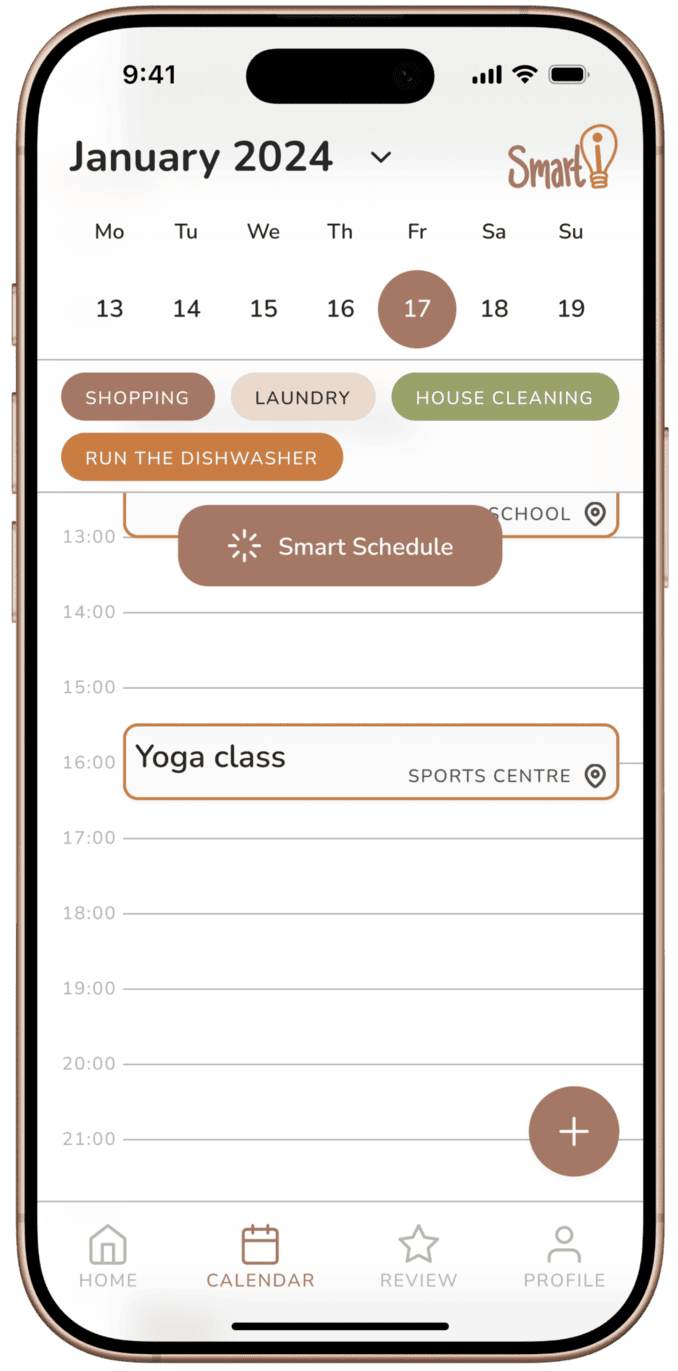
Unlike events, tasks are kept in a task pool without a starting time assigned to them. Through Smart Schedule, the app's AI places them at optimal times throughout the day based on peak energy usage times, the type of task, and the user's other planned events for the day or week.
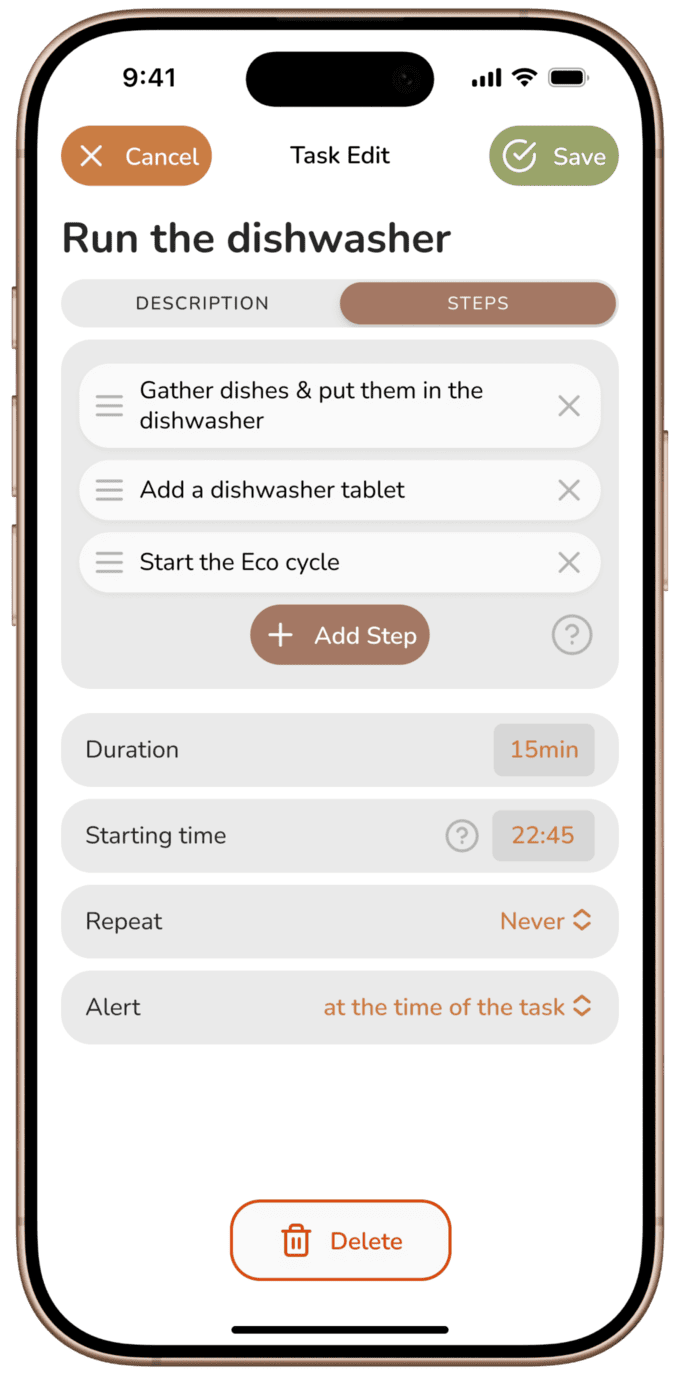
AI-Powered Tasks
AI doesn't just schedule tasks, it also helps create them efficiently by suggesting task steps based on the task's given title and description and learned patterns from the user. Tasks are always suggested as energy-consciously as possible.
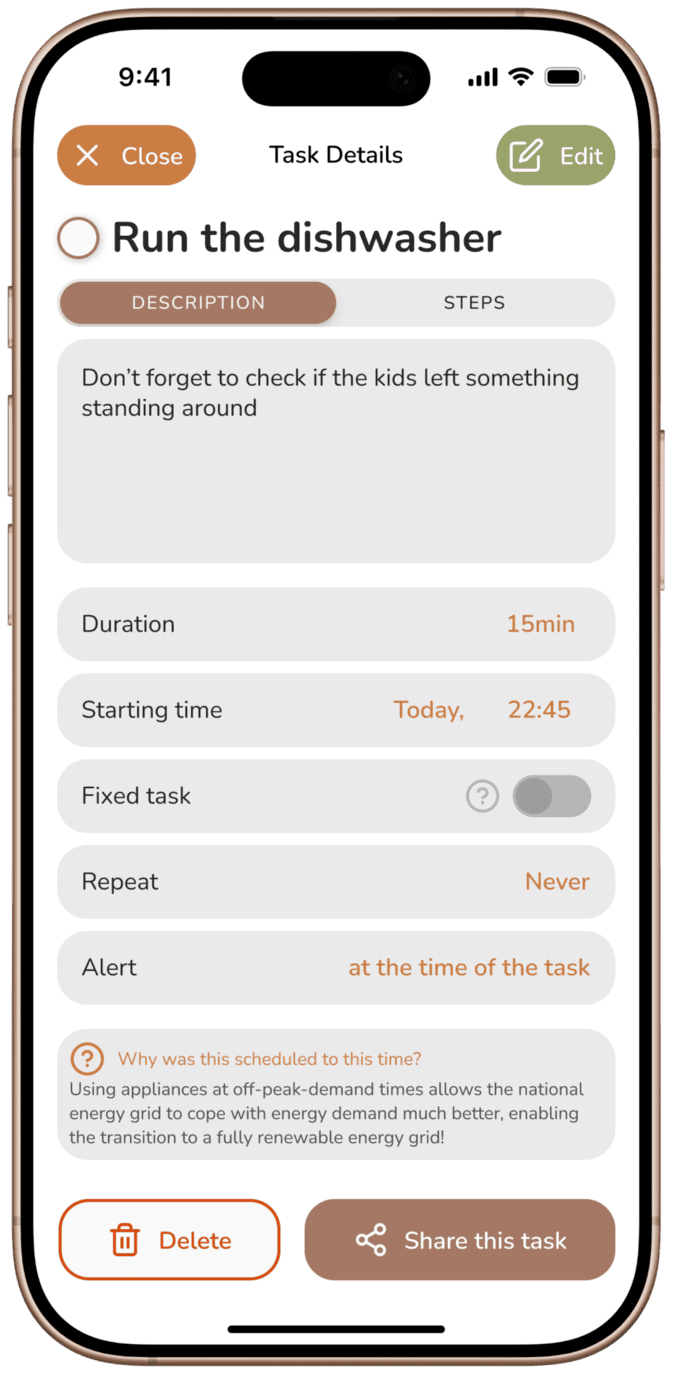
Task Details & Sharing
The task detail view allows the user to share tasks to be completed by others while being able to monitor task status from within SmartI. Task details also inform the user about AI scheduling rationale, keeping maximum transparency.
